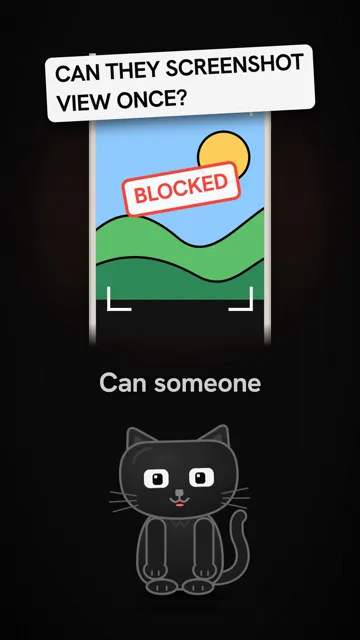
No. WhatsApp's own help pages say view once photos and videos cannot be screenshotted or screen-recorded, on Android or iPhone, and cannot be forwarded, saved or replayed either. They can still be photographed with another phone. So view once stops casual saving, not a determined recipient. As of 16 October 2026, we found no credible report that this blocking has been withdrawn.
Quick answers, from WhatsApp's help pages:
- Can you screenshot a view once photo or video? No. The screenshot is blocked on Android and iPhone.
- Can you screen record a view once photo or video on WhatsApp? No. Recipients cannot take a screen recording of view once media.
- Can you screen record a view once voice message? Possibly. WhatsApp says the phone's own screen recorder may capture its audio.
- Can someone photograph it with another phone? Yes. No app setting stops a second camera.
What WhatsApp says view once blocks
WhatsApp's About view once page and its how-to page describe these limits for photos, videos and voice messages:
- The recipient cannot forward, copy, save, star or share view once media.
- The recipient cannot take a screenshot of a view once photo or video. The how-to page also says screen recording is blocked, in the same words for Android and iPhone.
- After the recipient opens it and leaves the viewer, it cannot be opened again.
- It is not saved to the camera roll or gallery.
- If nobody opens it within 14 days of sending, it expires.
- Opened view once media is left out of chat backups, so it cannot be restored. An unopened one can still be in a backup.
- Encrypted media may stay on WhatsApp's servers for a few weeks after sending.
WhatsApp announced view once in a 2021 blog post. It added view once for voice messages in December 2023.
What it does not block
WhatsApp is open about two gaps.
- Another camera. A recipient can take a photo or video of the screen with a second phone or camera before the media disappears. This is the real limit, and it applies to every app that shows content on a screen.
- Audio via the screen recorder. WhatsApp says iOS and Android users may be able to record the audio of a view once voice message with the phone's own screen recorder.
Nothing in WhatsApp's pages mentions an alert to the sender when someone tries to capture the screen. The sender only sees an Opened receipt, and only if the recipient has read receipts on.
Can you screenshot a WhatsApp one time photo or video?
No. "One time photo", "one time video" and "once view" are other names for view once, and the same rules apply: no screenshot or screen recording on Android or iPhone, no saving, and one viewing. Another phone's camera can still capture it.
If you are the sender, the person you send it to cannot screenshot it in WhatsApp, and WhatsApp describes no alert to you if they try. View once covers photos, videos and voice messages only, so WhatsApp can't send a PDF as view once; a one-time link can.
Was screenshot blocking ever "changed"? What we can and cannot confirm
The screenshot block did not arrive everywhere at once, so older articles can contradict newer ones.
- August 2022: WhatsApp's blog said it was testing a way to stop screenshots of view once content.
- 4 October 2022: Android Police reported an Android beta where the attempt showed a "security policy" message, with the sender not notified.
- 15 December 2022: Lowyat.NET reported blocking on Android and iPhone. On iPhone, the screenshot showed a "Screenshot Blocked" page instead of the photo. People on older app versions could still screenshot.
What is documented: WhatsApp's current help pages describe the block. What is not documented: WhatsApp does not publish which app versions, phones or operating system releases enforce it, and its two help pages differ on whether they mention screen recording. We found no credible report from 2025 or 2026 saying the block was removed. Some SEO guides sell "workarounds", but we treat those as unverified.
If it matters, update WhatsApp on both phones and assume the block can fail.
Can view once be recovered?
WhatsApp documents no way to bring back opened view once media. It is excluded from backups, and WhatsApp says it cannot be viewed again. If you see an app or website promising to "recover" view once photos, be careful. Handing a third party access to your account is a bigger risk than the photo you lost.
When is view once enough?
View once is good for low-stakes things: a photo of a menu, a parking spot, a quick shot of a bill you do not want in someone's gallery. It stops the photo piling up in a chat, in a backup or in a cousin's phone gallery.
To turn it on in WhatsApp, Instagram, Messenger or Telegram, here's how to send a view once photo on each app.
It is not enough when:
- The recipient might copy it. Another phone defeats it.
- The content is an ID or financial document. Do not send an Aadhaar or PAN scan this way. Read how to share an Aadhaar copy safely first.
- It is a PDF or a bundle of files. View once does not support them. A normal WhatsApp document stays in the chat. See how to send a PDF that opens once.
A different tool for files and documents
A one-time link is a separate approach. NO SUS Burn Files sends up to 10 files, 50 MB combined, as a link that opens once. The sender and the recipient need no account, and the file is encrypted in your browser with AES-256. The link keeps the key after the #, which browsers don't send to our server. It has limits, too. If you ask for a 6-digit code instead, a copy of the key sits on our server until up to 10 minutes after the code is used or expires, and a browser cannot block screenshots as WhatsApp's app can for photos. If your worry is the document staying in a chat, it helps. If your worry is the recipient copying it, nothing here helps.
For a wider comparison of what each app really deletes, see do disappearing messages really disappear, or our pick of the best disappearing message apps. How Instagram, Messenger, Telegram, Snapchat and Signal handle the same screenshot is in the view-once screenshot table.
The short version
WhatsApp view once is built to stop saving from inside the app, and it largely does for photos and videos. It was never built to stop a second phone. Use it for photos you would be fine with someone briefly seeing, and send anything more serious in a way that does not depend on the recipient behaving.